
01
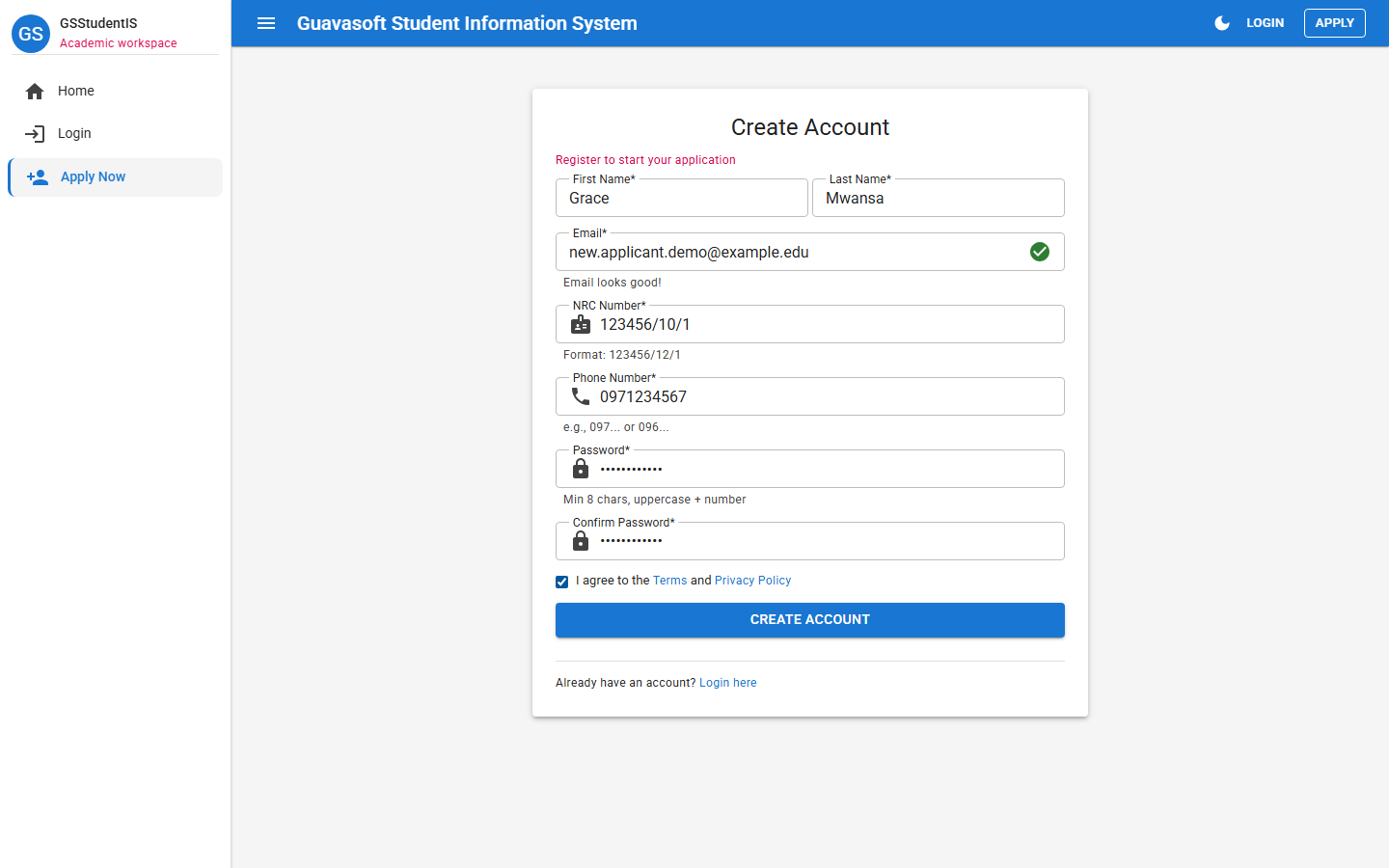
Create your account
Enter your first name, last name, email address, NRC number, phone number, and password. Accept the terms before creating the account.
July 2026 Intake
The online admission portal is now live. These student screenshots show the steps applicants follow when applying online.
Apply Online
Use the admissions portal to create your account, submit your application, upload documents, pay the application fee, and track your progress. WhatsApp, call, or email admissions if you need help.
Application Fee & Payment
Applicants should use the bank details below when paying the application fee. Keep proof of payment safe because it may be required during online admission processing or verification.
Use the applicant name or NRC as the payment reference where possible.
Student Application Journey
These screenshots show the student side of the admissions portal only. Staff review screens are not included here. Some values are demo examples; applicants should use the official fee and bank details published on this website or confirm with admissions.
Enter your first name, last name, email address, NRC number, phone number, and password. Accept the terms before creating the account.
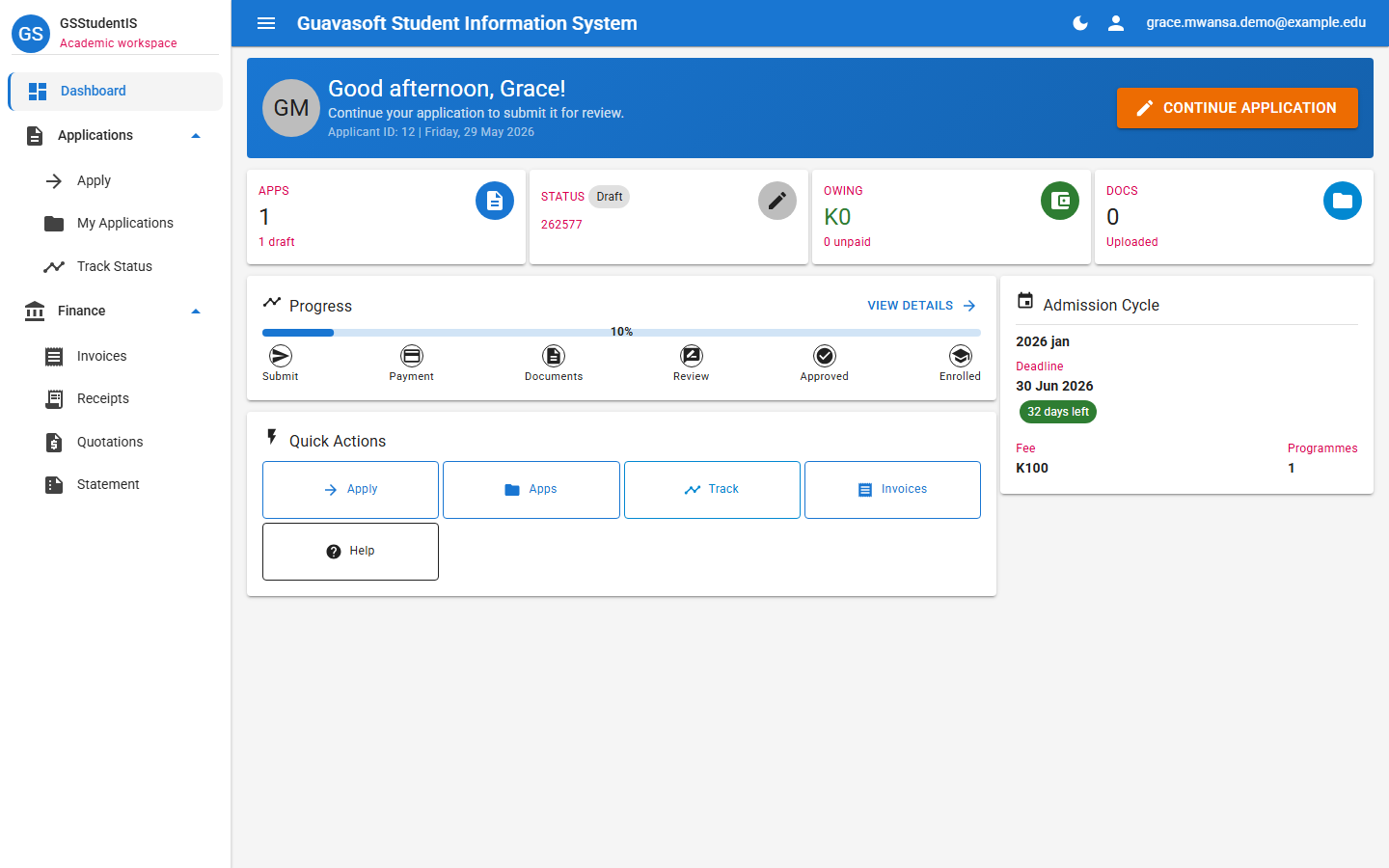
After logging in, use the dashboard to continue your application, check status, view invoices, and track progress.
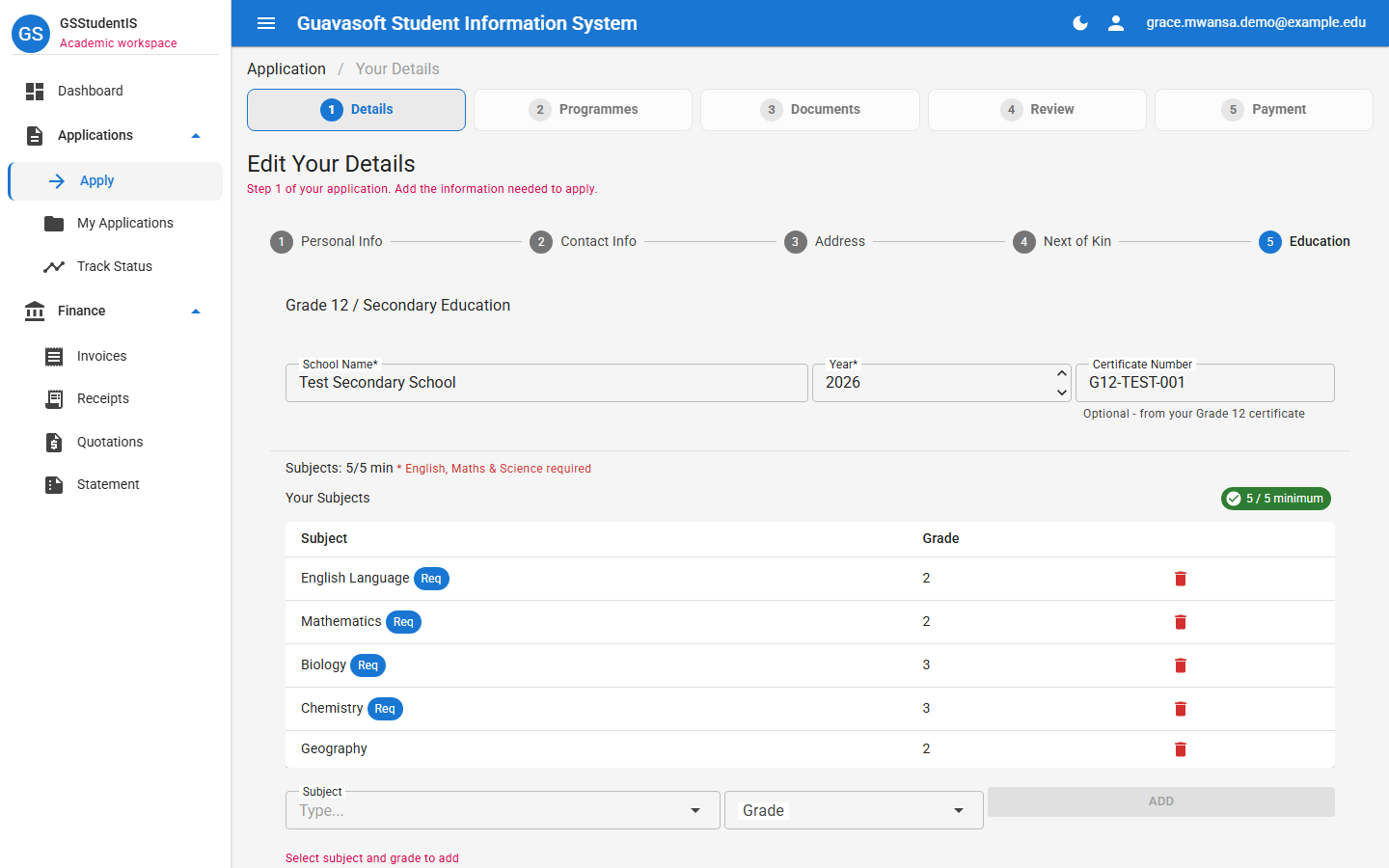
Complete your personal information, contact details, address, next of kin, school details, and subjects. English, Mathematics, and Science are required.
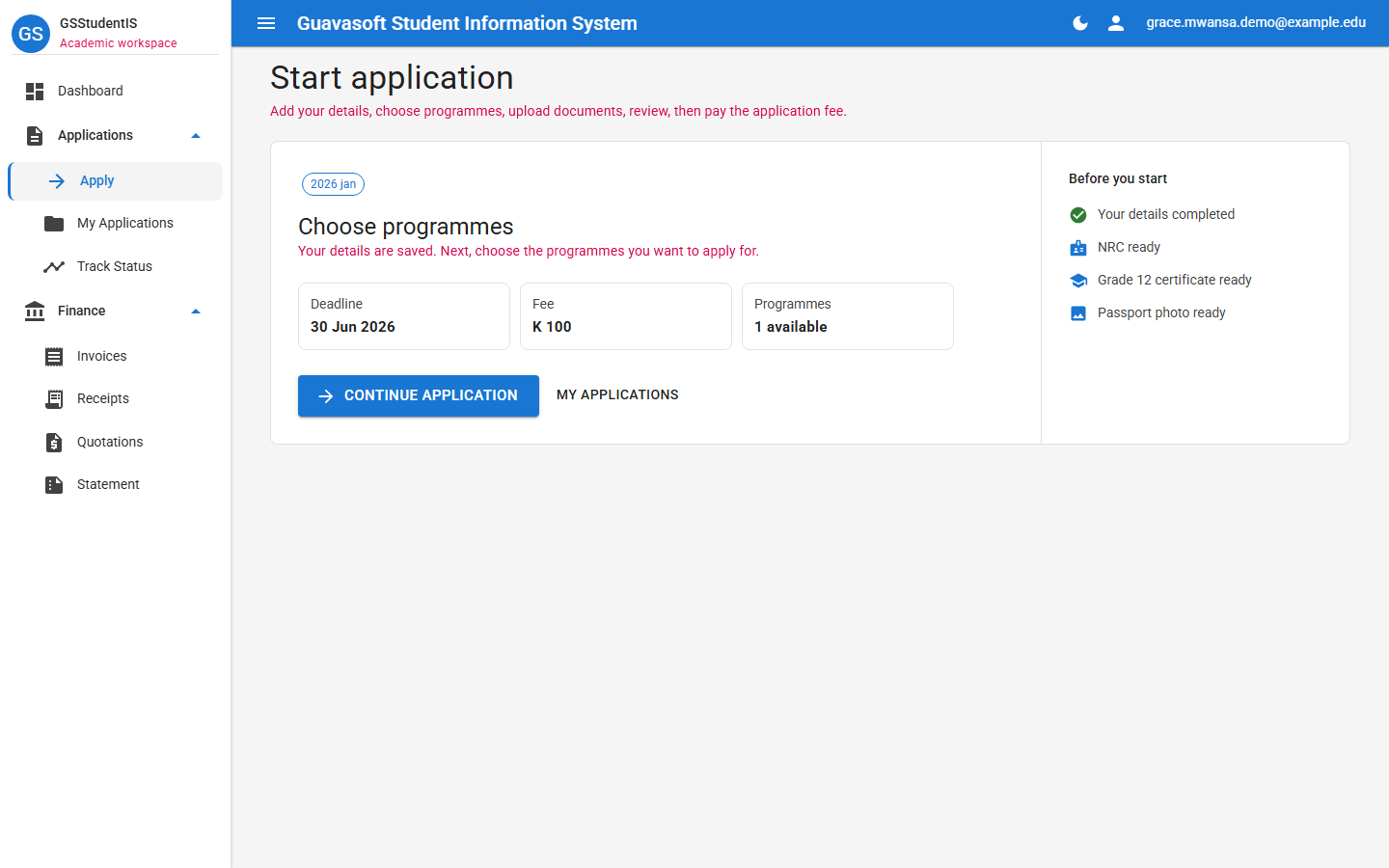
Choose the open intake cycle, confirm the deadline and K150 application fee, then continue your application.
Choose Diploma in Nursing as your programme choice and continue to the document upload step.
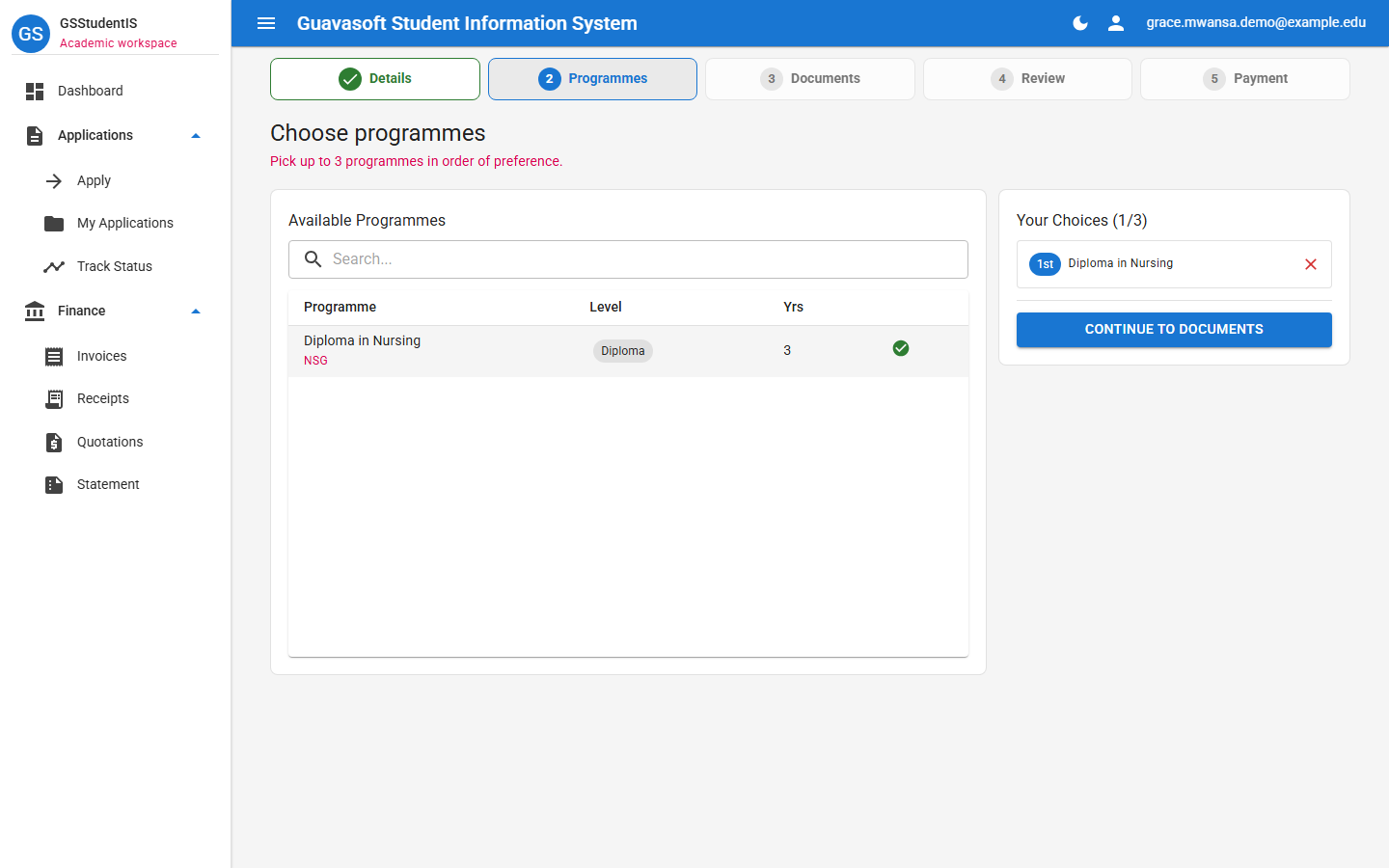
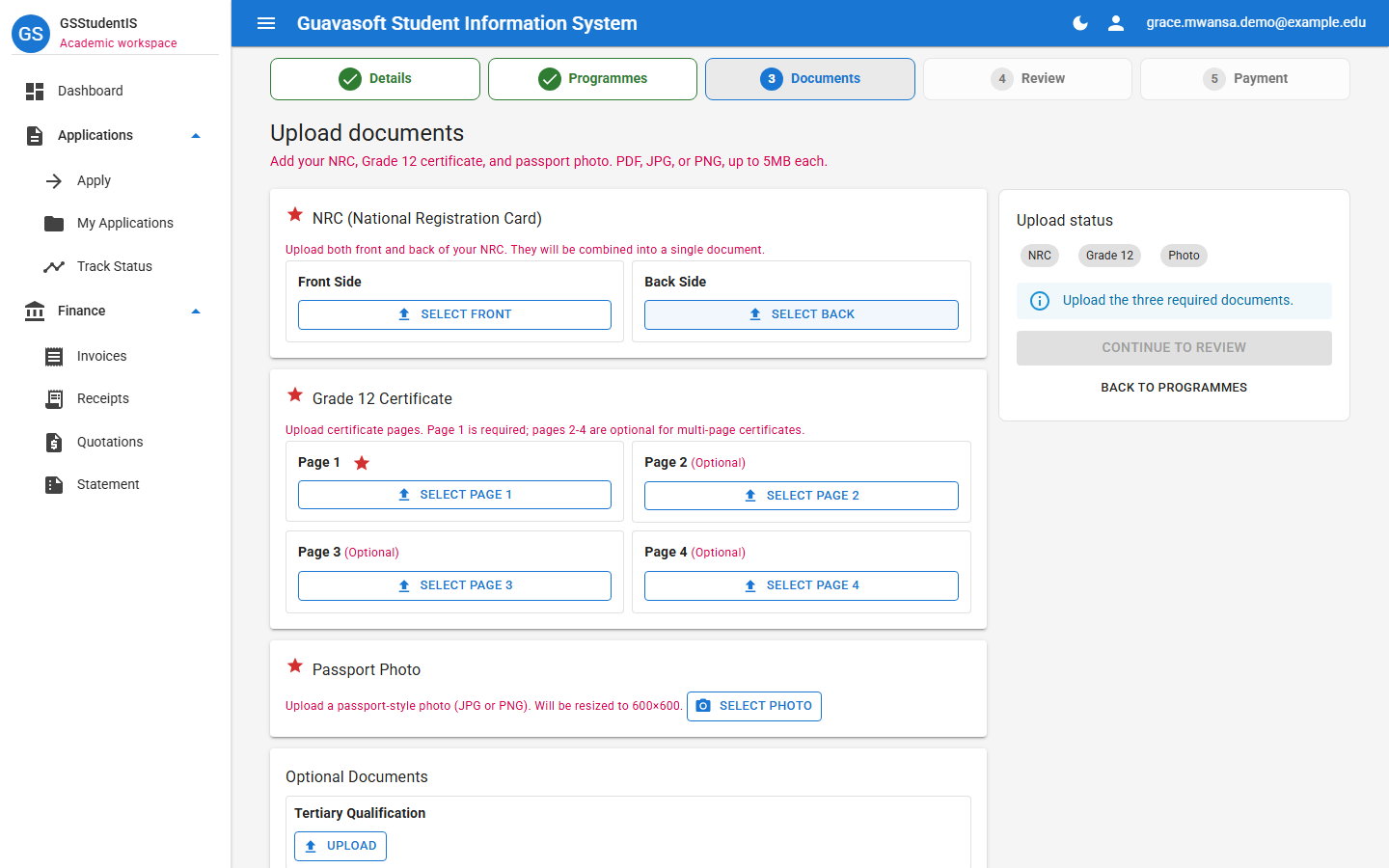
Upload your NRC, Grade 12 certificate or results, and passport-style photo. Optional qualifications can also be added where applicable.
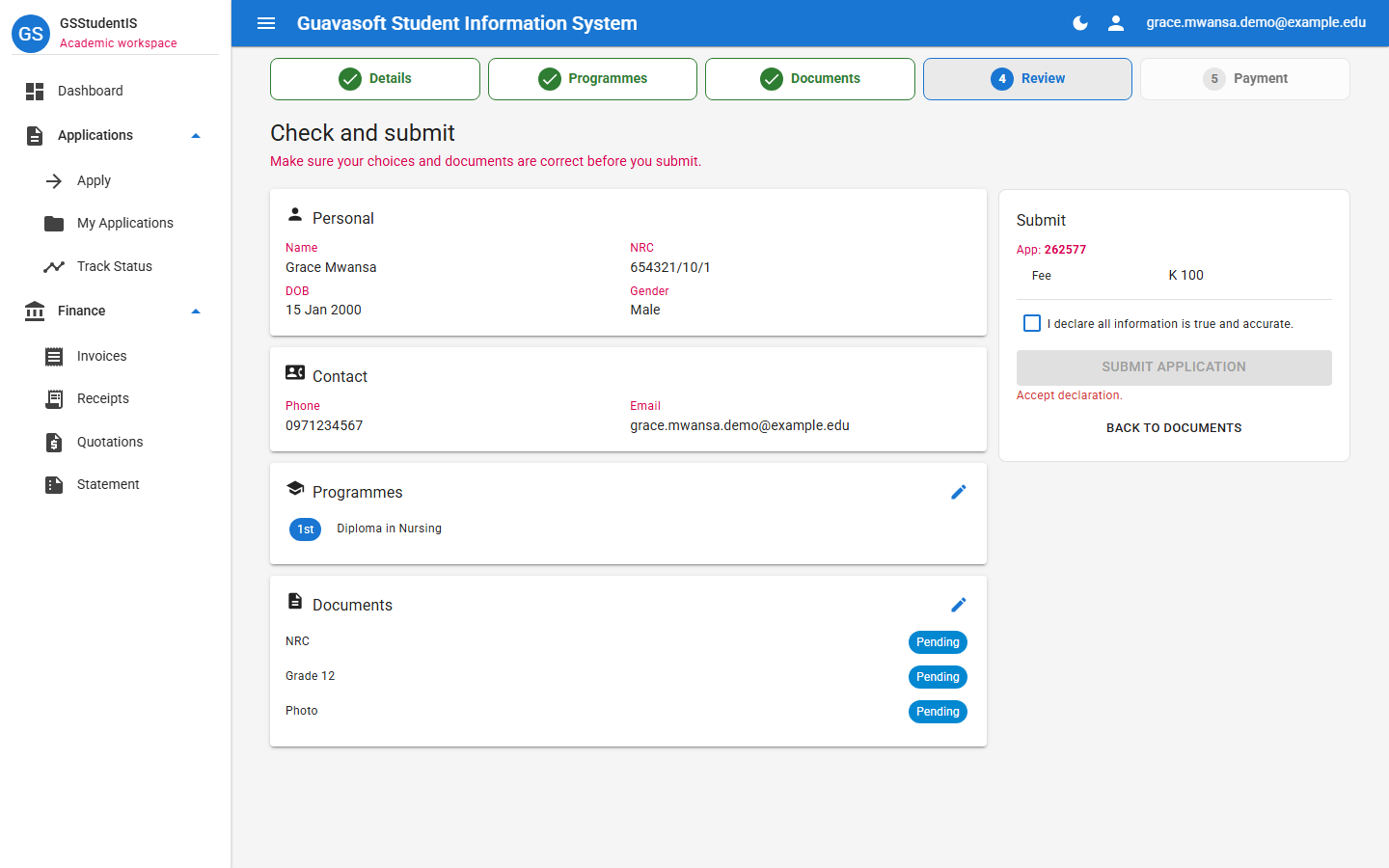
Check your personal details, contact information, programme choice, and uploaded documents. Tick the declaration before submitting.
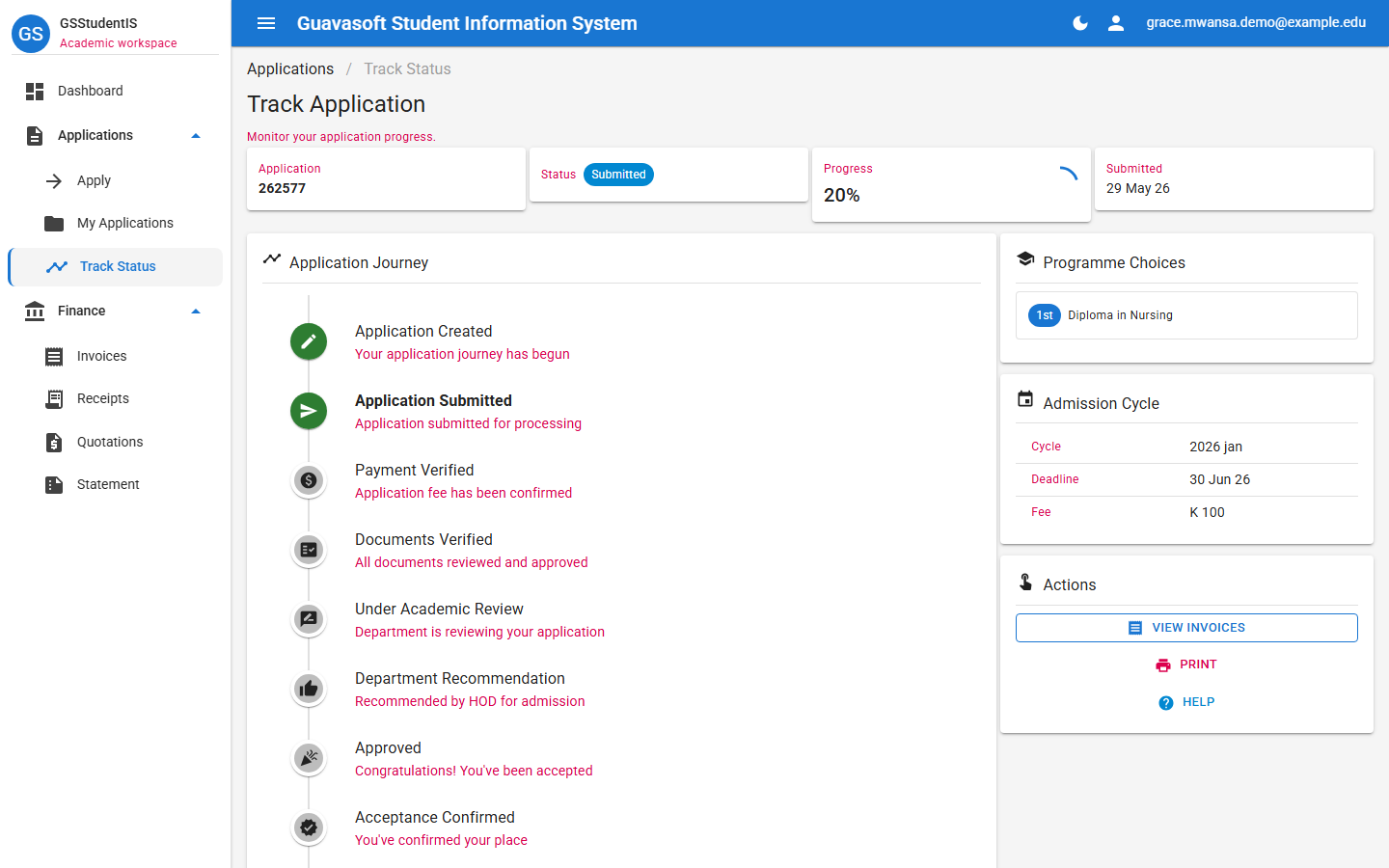
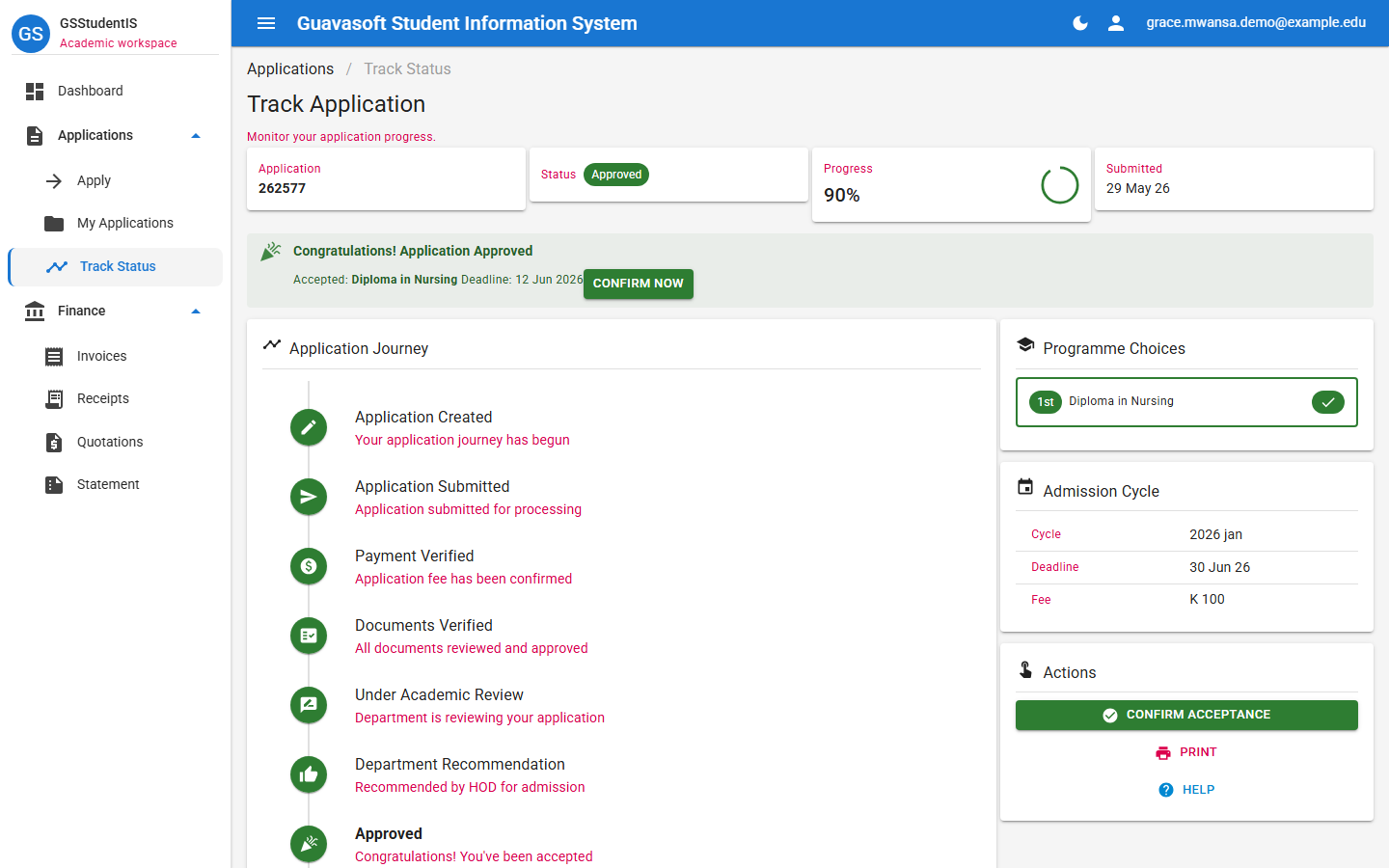
After submission, track progress through payment verification, document verification, academic review, approval, and acceptance confirmation.
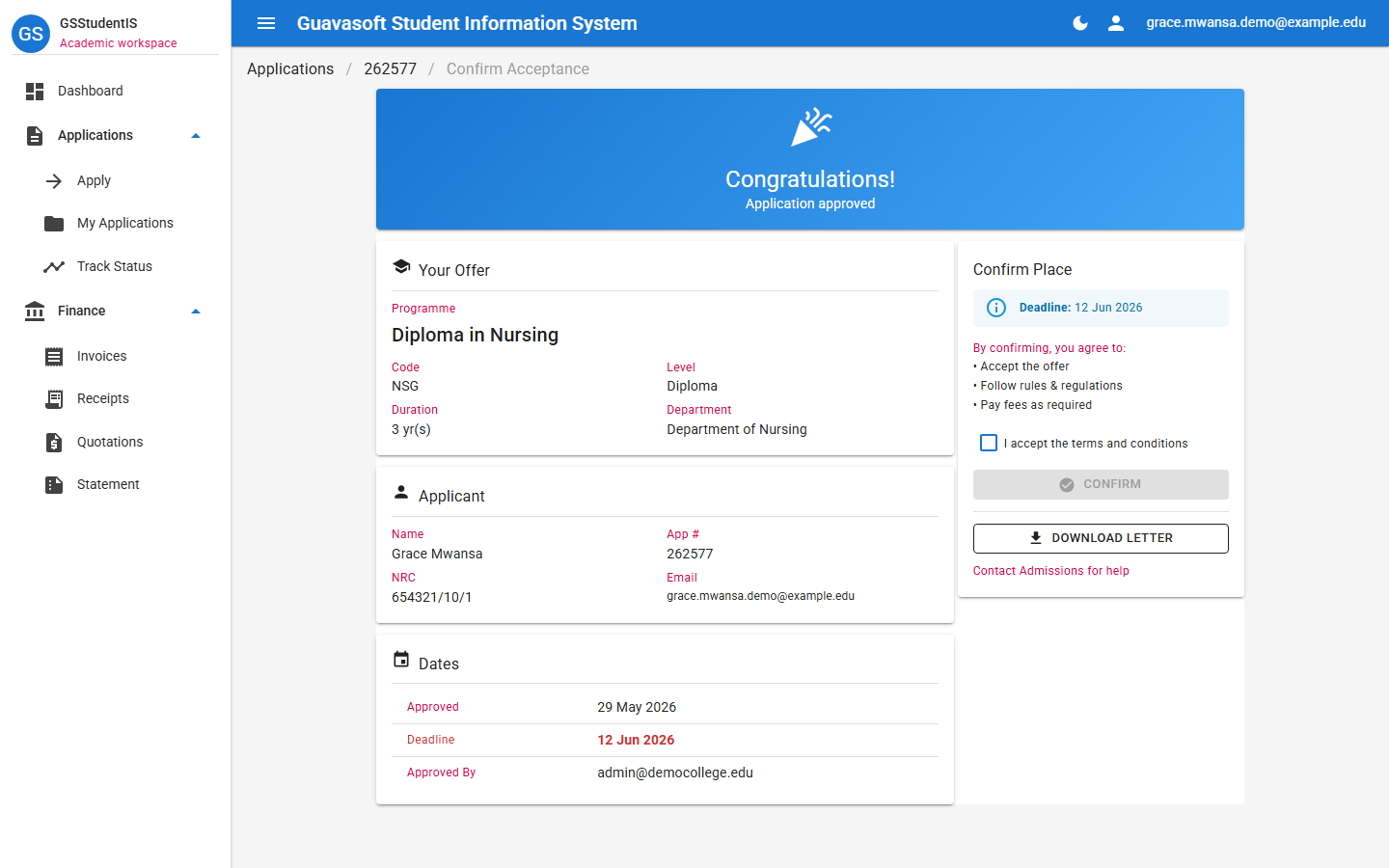
If accepted, applicants can confirm their place before the deadline and download the offer letter online.
Before You Apply
Before applying online, keep your NRC, Grade 12 certificate or results, passport photo, active email address, phone number, and application fee payment proof ready.
Online Admission Portal
The portal is live. Use this page to understand the student application journey, then start your application online.